Practical guide
ticketing and asset management software
Understanding ticketing and asset management software
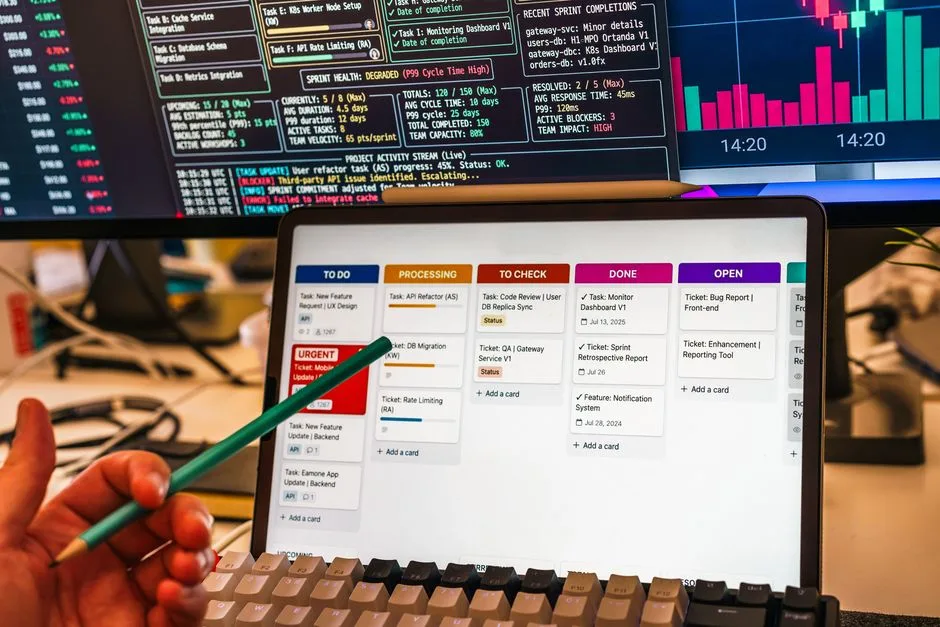
Ticketing and asset management software helps you manage your self-service machines efficiently. It allows you to track sales, monitor inventory, and manage suppliers all from one platform. This software is essential for operators of vending machines, laundromats, car washes, and other self-service businesses.
Key takeaways include:
- Centralized management of multiple machines.
- Real-time sales tracking and inventory management.
- Streamlined supplier management for reordering stock.
Key concepts and practical examples
IntellentSpaces.com is a Smart Saas Management Software and telemetry application for Self-Service Businesses. Our differentiator is that we provide unlimited machines management for a flat price. This is one powerful platform for managing vending machines, laundromats, car washes, dog washes, parking, ticketing, shoe cleaning, and disinfection vending machines, and any machine that requires no human to operate and performs monetary transactions for humans. Operators can monitor, manage, and grow their business without stressing about costs — from anywhere.
For example, if you operate a vending machine, you can easily check sales data to see which products are selling well. If a product is running low, you can quickly reorder from your supplier through the same platform, ensuring your machine is always stocked.
How to put it into practice
To effectively use ticketing and asset management software, follow these steps:
- Set up your account: Register for IntellentSpaces and input your machine details.
- Monitor sales: Regularly check your sales reports to identify trends and popular products.
- Manage inventory: Use the software to track stock levels and set alerts for low inventory.
- Reorder stock: When stock is low, use the supplier management feature to place orders directly from the software.
By following these steps, you can ensure your machines are always stocked and operating efficiently.
Comparing approaches and avoiding mistakes
When choosing ticketing and asset management software, consider the following:
- Cost: Look for software that offers unlimited machine management for a flat price to avoid unexpected costs.
- Features: Ensure the software includes essential features like sales tracking, inventory management, and supplier integration.
- User-friendliness: Choose a platform that is easy to navigate, allowing you to manage your operations without a steep learning curve.
Common mistakes to avoid include neglecting to regularly check sales data and failing to reorder stock in a timely manner, which can lead to lost sales.
Common questions
What types of businesses benefit from ticketing and asset management software?
Self-service businesses like vending machines, laundromats, and car washes can all benefit from this software by streamlining operations and improving efficiency.
How does this software help with inventory management?
The software allows you to track stock levels in real-time, set alerts for low inventory, and manage reordering from suppliers, ensuring you never run out of popular items.
Your next step
To start managing your self-service business more effectively, consider exploring IntellentSpaces. This platform offers the tools you need to monitor, manage, and grow your operations efficiently.