Every Machine.
Total Control.
Add, organise, and monitor your entire vending fleet from a single dashboard. See real-time status, slot-level stock, daily revenue per machine, and update settings remotely — no spreadsheets, no site visits.
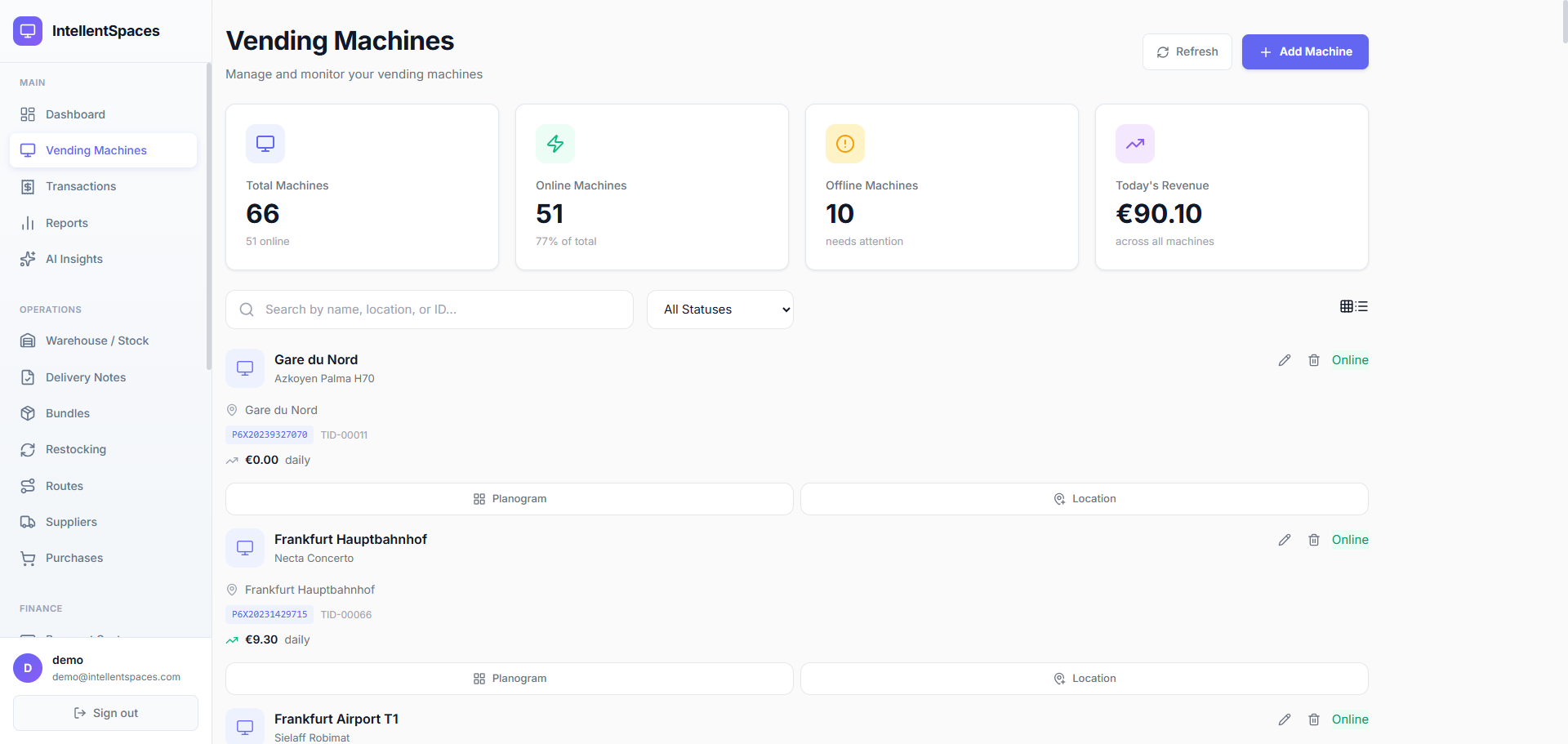
Your Full Fleet, One Screen
The moment you open Vending Machines you see every machine you operate — 5 or 500. Four KPI cards at the top show total machines, how many are online right now, how many need attention, and today's revenue across your entire fleet. Below that, a searchable list lets you filter by name, location, manufacturer, or terminal ID.
- Real-time Online / Offline status for every machine
- Today's revenue per machine shown on every row
- Filter by manufacturer, model, terminal ID, or status
- Grid and list view — switch based on your preference
Necta Concerto
Sielaff Robimat
Azkoyen Palma H70
Jofemar Vision ES Plus
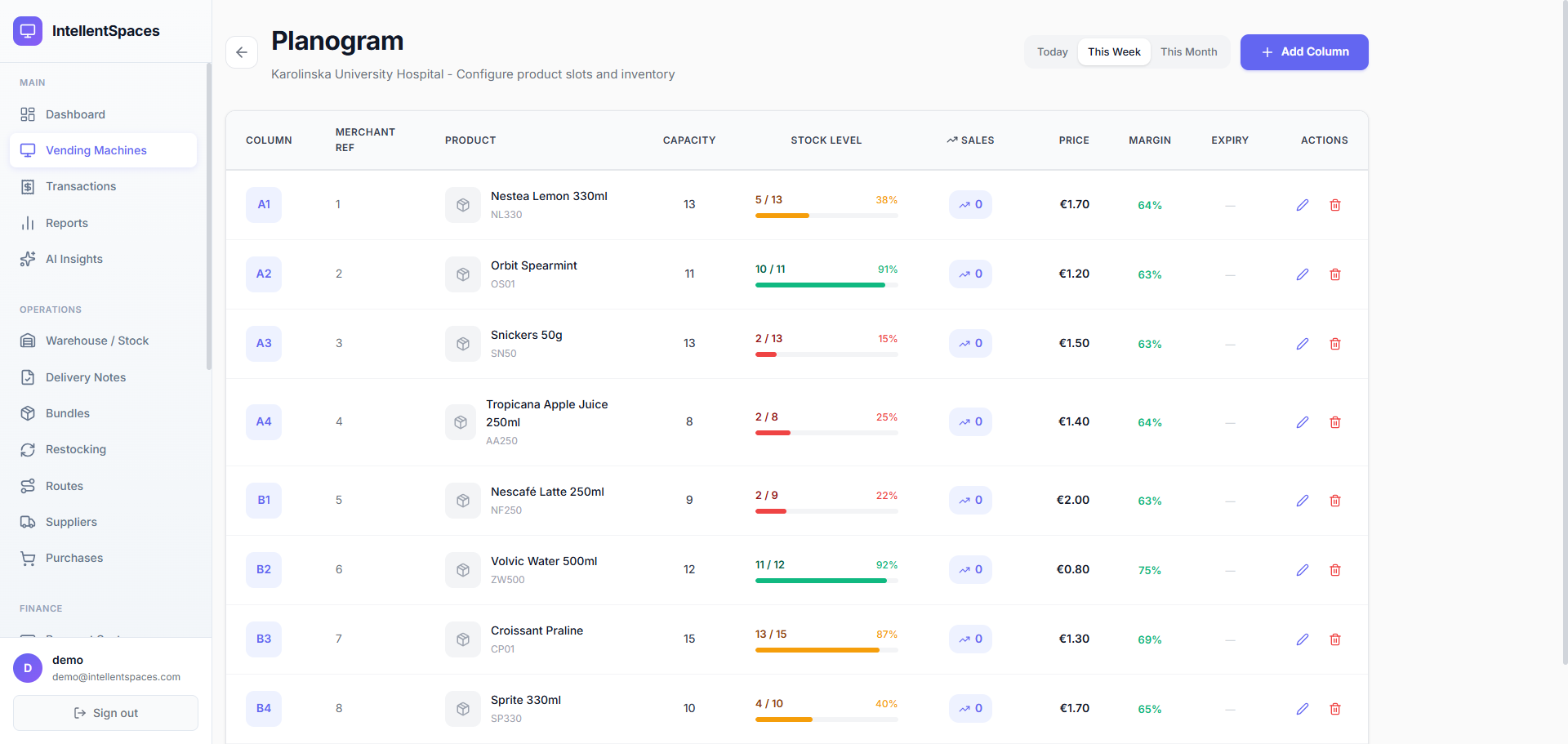
Planogram: Stock Slot by Slot
Open any machine and you'll see its planogram — a full breakdown of every product slot. Column labels (A1, B2…) match what's physically printed inside your machine. You see the capacity, current stock level as a colour-coded progress bar, this week's sales velocity percentage, the selling price, and the gross margin — all without touching the machine.
- Colour-coded stock bars: green (full), amber (low), red (critical)
- Sales velocity % per slot — see your fastest sellers at a glance
- Gross margin per product slot — know your profitability instantly
- Expiry date tracking with visual alerts before products expire
Manage Settings Without a Site Visit
Machine details — name, manufacturer, model, terminal ID, and internal TID — are all editable directly from the dashboard. Need to rename a machine after a location move? Done in seconds. Assign machines to drivers, flag for maintenance, or update the model without driving to site.
- Edit name, manufacturer, model, and terminal IDs
- Assign machines to drivers and restocking routes
- Change status between active, maintenance, and decommissioned
- All edits are timestamped for full accountability
Offline Alerts Before Revenue Disappears
When a machine goes offline, every minute of downtime is lost revenue. IntellentSpaces flags offline machines in real time with a red pulsing indicator and shows you how long they've been down. Low-stock slots show amber warnings before they empty out. You see what's wrong, where, and for how long — so you can act fast.
- Machines that go offline are flagged instantly with downtime duration
- Low-stock slots highlighted amber before they reach zero
- Revenue impact visible per offline machine
- Email notifications when machines change status
Donau Zentrum Vienna
Offline · No revenue since 8h
Gare du Nord
Low stock · 3 slots below 20%
Frankfurt Airport T1
Back online · Revenue resuming
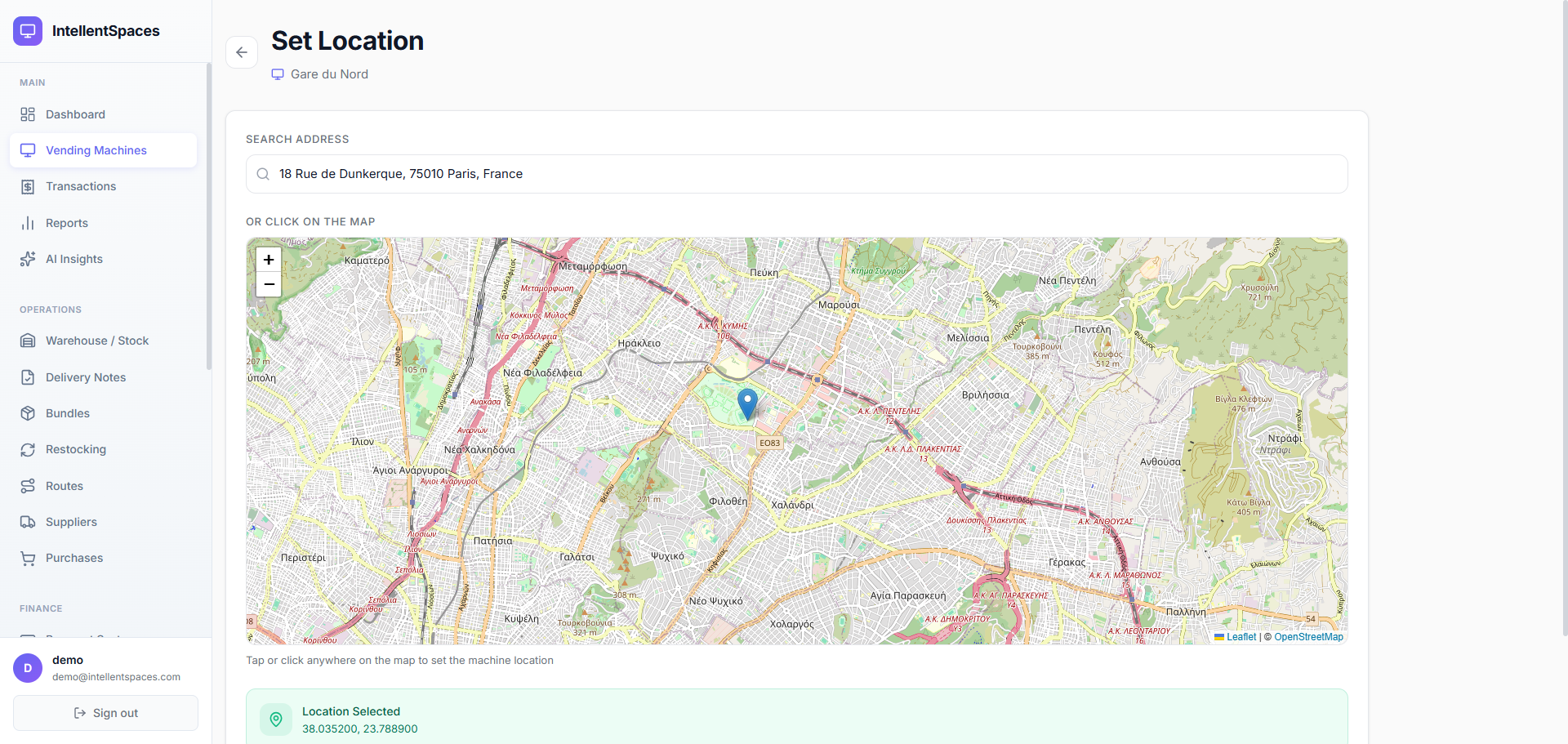
Pin Every Machine on the Map
Open the Location tab on any machine and search for an address or click anywhere on the map to set exact GPS coordinates. The pin position always matches the address shown — no stale data. Coordinates feed directly into route optimisation and geofencing.
- Search any address — powered by OpenStreetMap
- Click-to-pin anywhere on the map with instant reverse geocoding
- Coordinates feed into AI route optimisation automatically
- Geofencing: know when drivers arrive at and leave each machine
See Inside Every Machine — Slot by Slot
Every physical column (A1, B2…) maps to a product with its stock bar, margin, and expiry date. No guessing, no manual counts, no clipboards.
Simple, Transparent Pricing
Unlimited machines on every paid plan. No per-machine fees, ever.
30-day free trial · Credit card required · Cancel anytime
Frequently Asked Questions
Ready to See Your Full Fleet?
Start your 30-day free trial. Connect your machines and see live status, slot-level stock, and revenue in minutes.