Smart Stock Management
That Pays for Itself.
Know what's in every machine. Get alerts before products run out. Plan smarter restocking routes with AI. Stop losing money to empty slots and expired products.
Your Full Product Catalogue in One Place
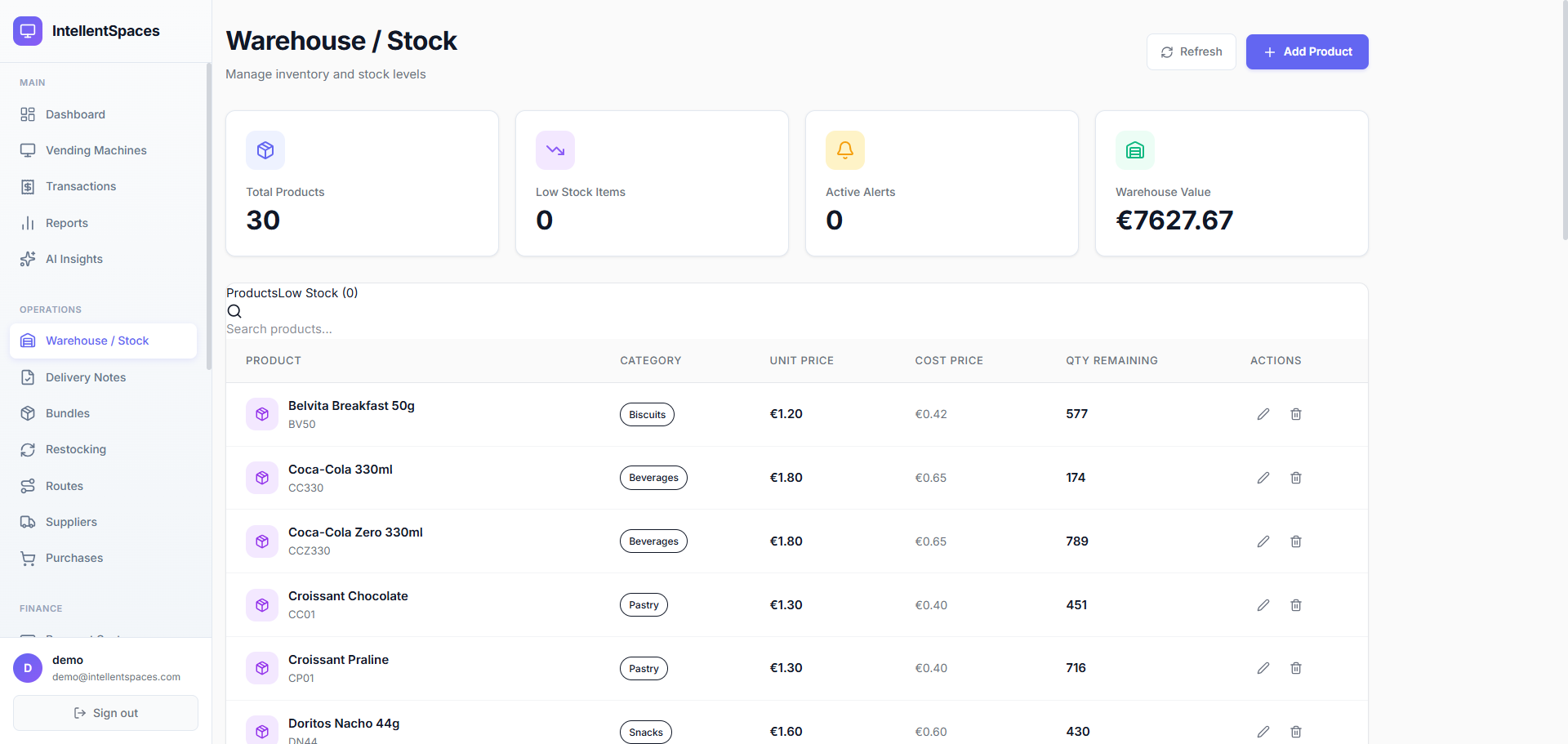
The Warehouse / Stock page gives you a complete view of every product you manage — SKU, category, unit price, cost price, and current quantity remaining. Four KPI cards at the top show total products, low-stock items, active alerts, and total warehouse value. A live search bar filters your catalogue instantly.
- 30+ products with live quantities — all on one searchable page
- Warehouse value calculated automatically from cost prices
- Products flagged in amber/red when below reorder threshold
- Import your existing catalogue via CSV or Excel in one step
Total Products
30
Low Stock
2
Active Alerts
1
Warehouse Value
€7,627
BV50
CC330
CCZ330
CC01
DN44
Alerts Before You Run Out — Not After
Set a reorder threshold per product (e.g. alert at 5 units). The moment a machine slot drops below that number, an alert fires in the Low Stock tab and an email goes to the operator. Products at zero are marked "Empty" with a pulsing red indicator so nothing is missed.
- Per-product reorder thresholds — high for fast-sellers, low for slow-movers
- Low Stock tab shows every under-threshold item across all machines
- Zero-stock products pulsing red — impossible to miss
- Email alert to the operator as soon as stock falls below threshold
Croissant Chocolate
Gare du Nord
Threshold: 10 units
Sprite 330ml
Karolinska Hospital
Threshold: 8 units
Volvic Water 500ml
Frankfurt Hbf
Threshold: 5 units
Rich Product Details — Including Images
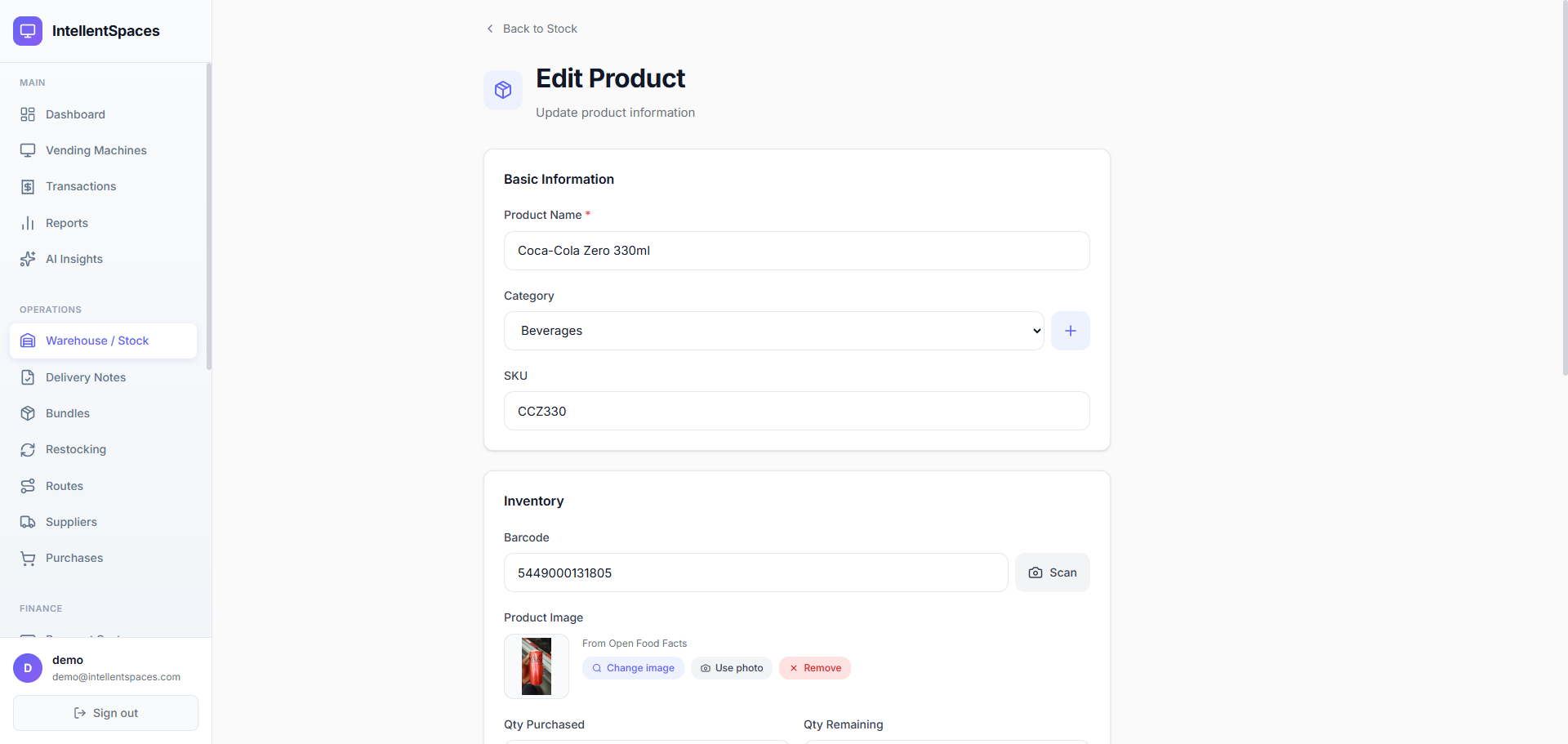
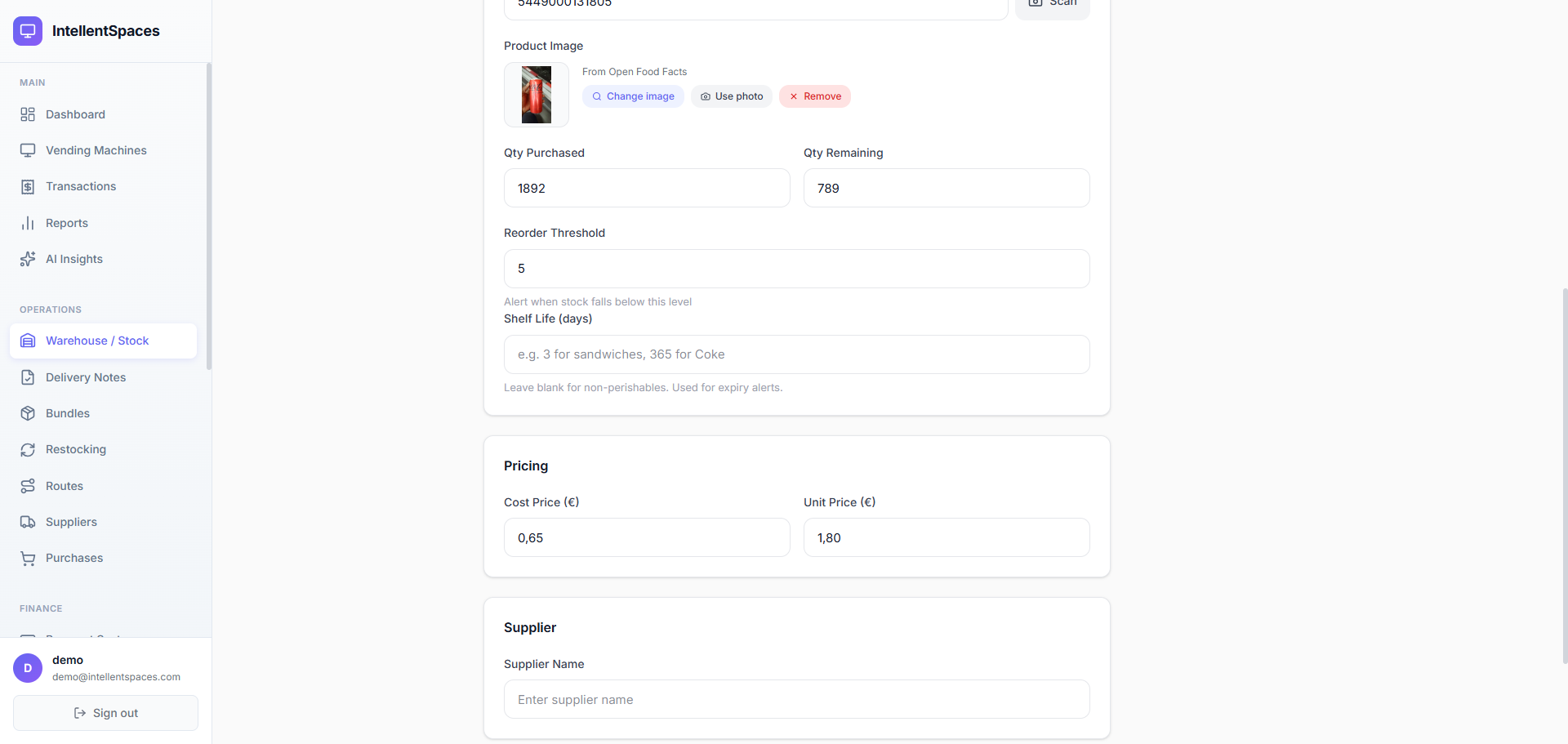
Each product has a full detail page: name, SKU, barcode, category, cost price, unit price, quantities purchased and remaining, reorder threshold, and shelf life. The barcode field supports scanner input. Product images are fetched automatically from Open Food Facts — search by name or scan a barcode to attach a photo instantly.
- Product images fetched automatically from Open Food Facts by name or barcode
- Barcode field supports scanner input for fast data entry
- Shelf life (days) drives expiry alerts in the planogram view
- Cost and unit prices shown together — see margin at a glance
Product Image · From Open Food Facts
Qty Purchased
1,892
Qty Remaining
789
AI Restock Plans That Drive Smarter Routes
IntellentSpaces's AI Restocking Brain looks at sales velocity, current stock levels, and expiry dates to build a prioritised restock plan. Urgent machines go to the top. Drivers get a clear picklist and can generate bundles for each stop so they know exactly what to load on the van.
- AI-ranked restock plan: urgent machines appear first
- Bundles pre-package products per machine — no guessing on the road
- Restock suggestions based on sales velocity, not just current stock
- Expiry-driven alerts: flag slots before products go out of date
Gare du Nord
4 products to restock
Frankfurt Hauptbf.
2 products to restock
Karolinska Hospital
3 products to restock
Westfield London
1 product to restock
Every Product, Fully Documented
Name, SKU, barcode, category, cost, price, quantities, shelf life, and an auto-fetched product photo — all in one form. Edit anytime and changes propagate instantly across all planograms.
Simple, Transparent Pricing
Full stock management and low-stock alerts included on every plan.
30-day free trial · Credit card required · Cancel anytime
Frequently Asked Questions
Ready to Stop Losing Money to Empty Slots?
Start your 30-day free trial. Import your product catalogue and see stock levels, alerts, and restock plans working in minutes.