Every Sale,
Accounted For.
See every transaction across all your machines the moment it happens. Filter by date, machine, or payment method in seconds. Export clean reports for your accountant — no spreadsheets, no manual work.
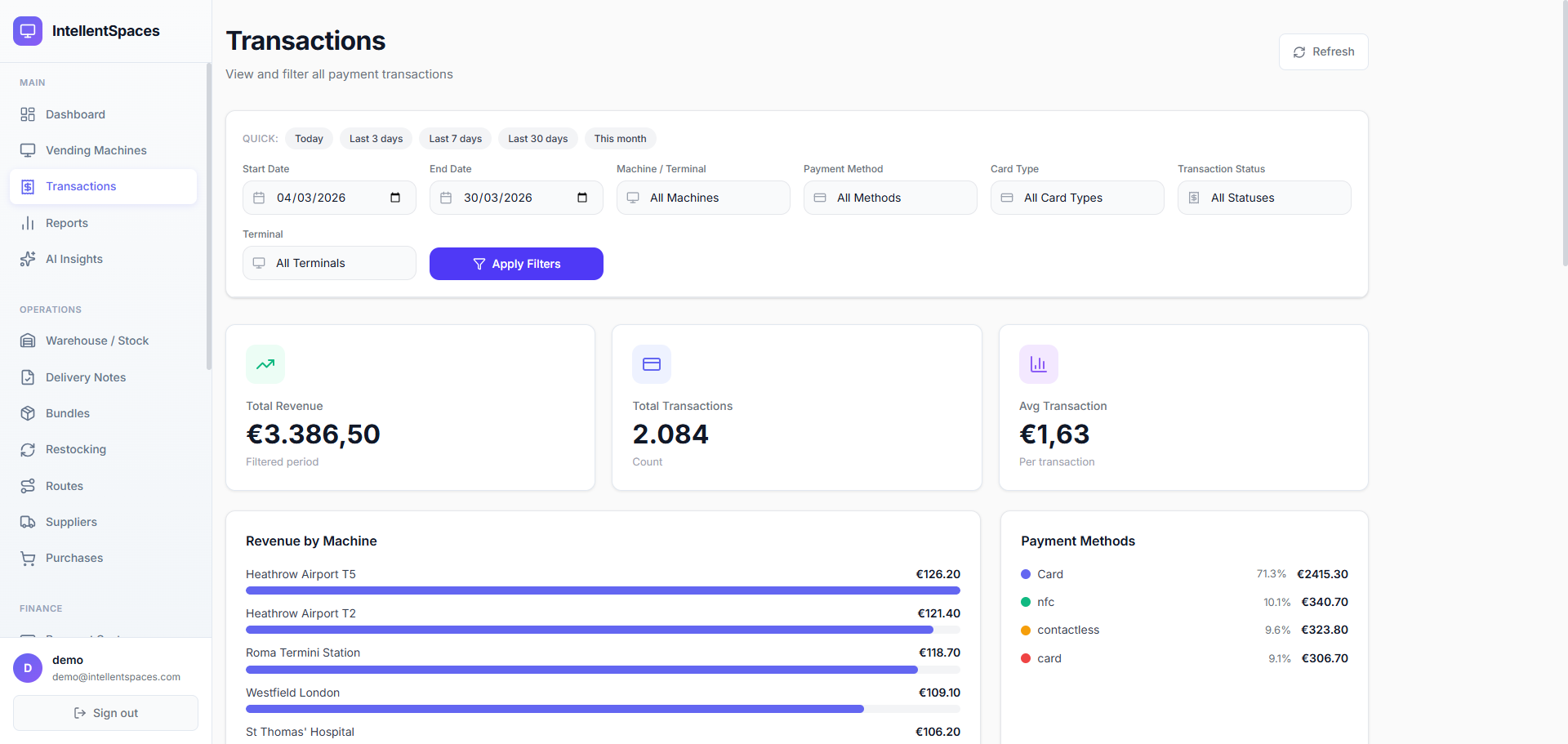
Find Any Transaction in Seconds
Need to investigate a customer complaint? Looking for a specific sale from last Tuesday? The Transactions page has a full filter bar — combine quick date presets, custom ranges, machine selector, payment method, card type, and status. Results update instantly across your entire history. No waiting.
- Quick presets: Today, Last 3 days, Last 7 days, This month
- Filter by machine, terminal, payment method, and card type
- Custom date range pickers for any period you need
- Results across thousands of transactions — instant
Watch Sales Happen in Real Time
As customers buy from your machines, transactions appear in your live feed immediately — no end-of-day batch, no manual sync. You see which machine just made a sale, for how much, via which payment interface, and exactly what time it happened. The feed is sorted newest first and auto-refreshes.
- Transactions appear within seconds of the payment clearing
- Machine name, amount, and payment interface on every row
- Today's running total: revenue, count, and average sale value
- Expand any row to see the full terminal and product detail
just now
1 min ago
2 min ago
3 min ago
4 min ago
Revenue by Machine and Payment Method
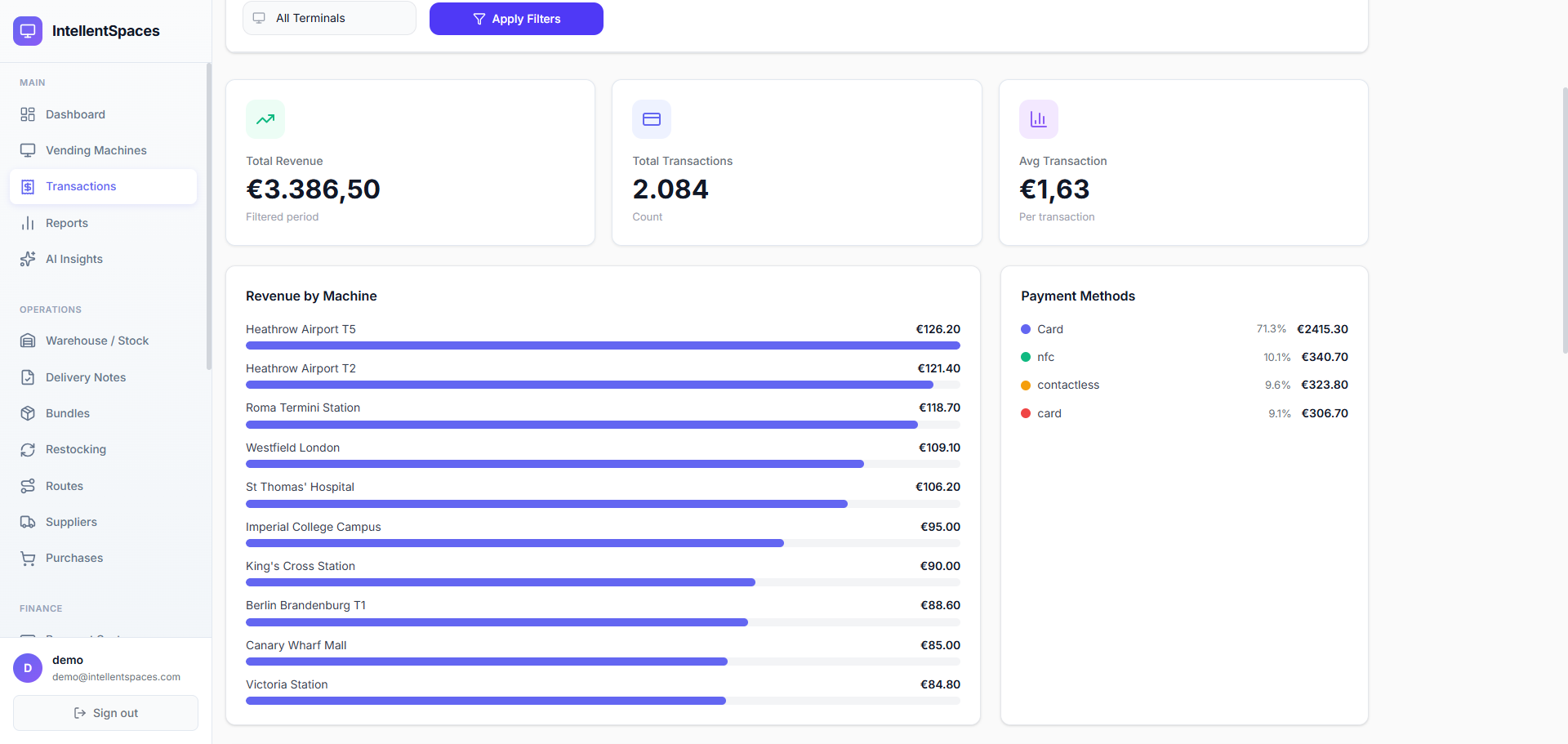
Below the transaction list, two analytics panels give you the bigger picture. Revenue by Machine ranks your locations from highest to lowest earner with a visual bar — spot your best and worst performers instantly. Payment Methods breaks down every interface (card, NFC, contactless) with exact amounts and percentages.
- Revenue-by-machine ranking with progress bars — visual at a glance
- Payment method split: card vs. NFC vs. contactless, with exact amounts
- Three KPI cards: total revenue, transaction count, average sale value
- All figures update live as new transactions come in
Total Revenue
€3,386.50
Filtered period
Transactions
2,084
Count
Avg Sale
€1.63
Per transaction
Revenue by Machine
Payment Methods
Export Clean Data for Accounting
One click exports your filtered transactions to CSV or Excel. The file contains every field your accountant needs: date, machine, terminal ID, product, amount, payment method, and status. Apply filters first to export only the subset you need — a single machine, a specific month, or a particular payment type.
- Export to CSV or Excel with one click — no configuration required
- All active filters are applied before export, so you get exactly what you need
- Every column included: date, machine, terminal, amount, method, status
- Unlimited history — export any period from any point in time
From
01/03/2026
To
30/03/2026
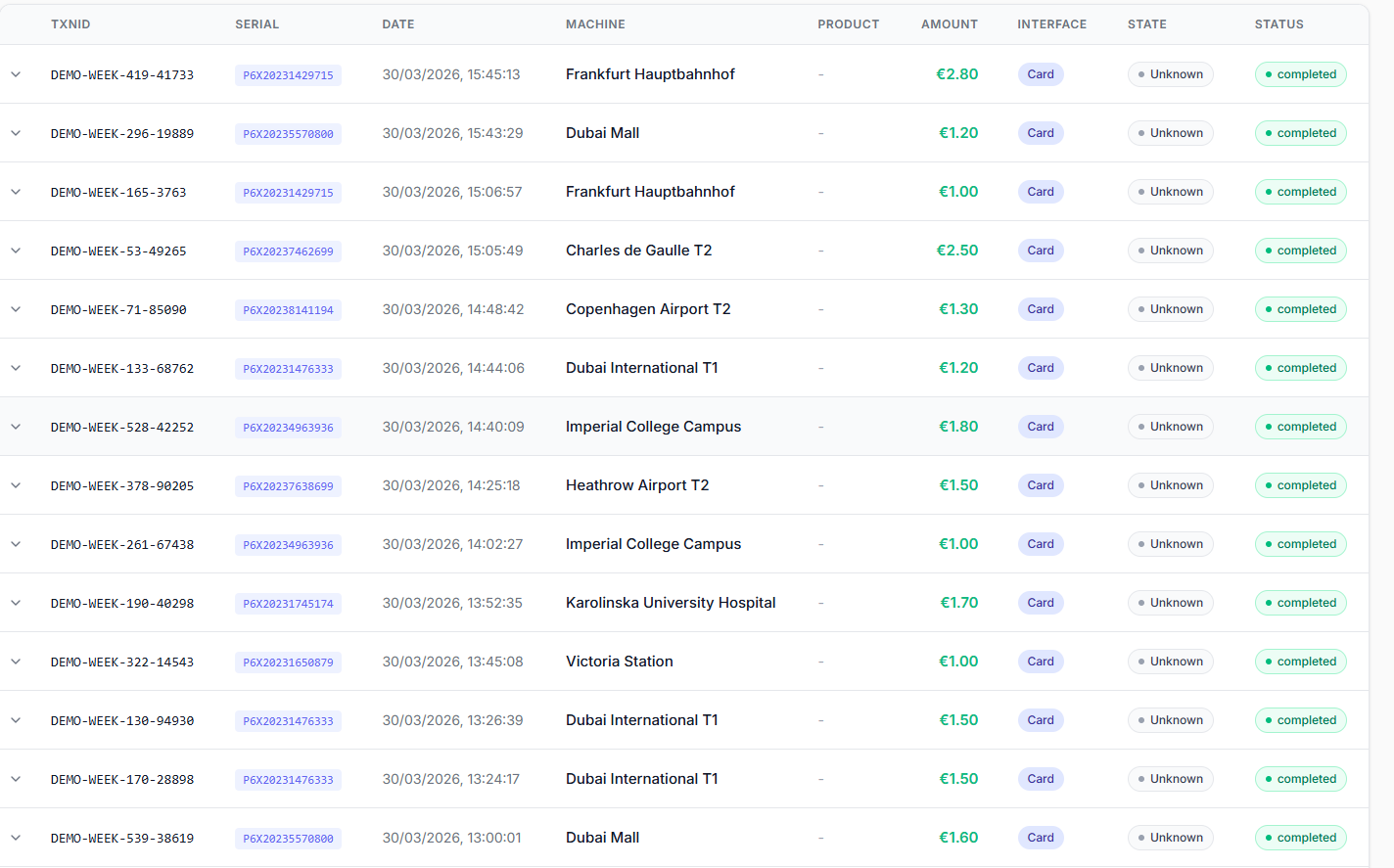
Every Sale — One Searchable Table
TXNID, terminal serial, date, machine, product, amount, payment interface, and status — all in a single sortable table. Click any row to expand the full transaction detail.
Revenue by Machine and Payment Method
Instantly see which locations are earning the most, and exactly how your customers prefer to pay — all in one view, always filtered to your selected period.
Simple, Transparent Pricing
Full transaction history and real-time feeds included on every plan.
30-day free trial · Credit card required · Cancel anytime
Frequently Asked Questions
Ready to See Every Sale?
Start your 30-day free trial. Connect your terminals and watch transactions appear in real time — no manual work, no spreadsheets.